ClassifAI Studio

Classify text with decision models and LLMs, and find out which one you can trust.

ClassifAI Studio is a Mac app for asking questions about your data. Run several models on the same questions, compare their answers, and check them against labels you trust.

Apple Silicon Macs · not notarised yet, see how to open it
The Playground: one entry, three questions, a decision model and an LLM answering side by side

Two kinds of models, one set of questions

Every model gets the same questions and gives answers in the same shape, so you can put a small local model next to a large LLM and compare them directly.

Decision models

Made for classification

They read the input and the questions and return a probability for every option, taken from the model itself. They are fast and cheap, and their probabilities are usually well calibrated.

On your Mac with Ollaya, or hosted by TypeSafe, OpenAI Decisions and Cloudflare Workers AI.
LLMs

Same questions, plus free text

ClassifAI Studio turns your questions into a JSON schema, so an LLM answers in the same format. It also quotes the part of the input it used, and it can answer open questions. Its probabilities are its own estimates.

Anthropic, OpenAI, OpenRouter, Groq, Ollama, LM Studio and other OpenAI-compatible servers.

Measure before you rely on a model

Run a dataset through several models and score each question against its ground truth. You get accuracy, F1, Cohen's κ, calibration and latency per model, a confusion matrix, and a calibration chart that shows whether a model's confidence means anything.

A review queue shows the answers most worth checking. When you correct a label there, the scores update without running the models again.
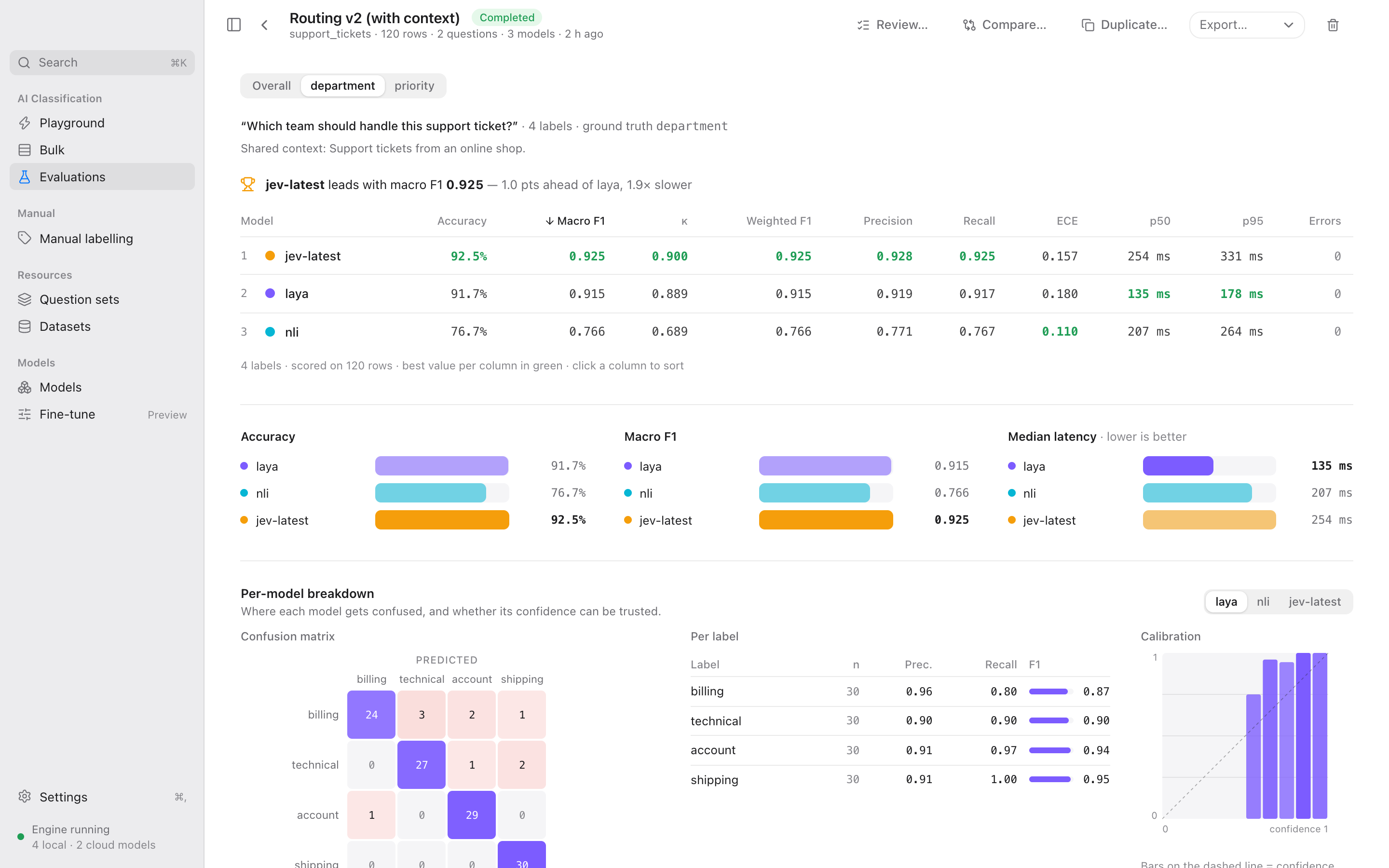
An evaluation with a leaderboard, confusion matrix and calibration chart

Label by hand where you have no labels

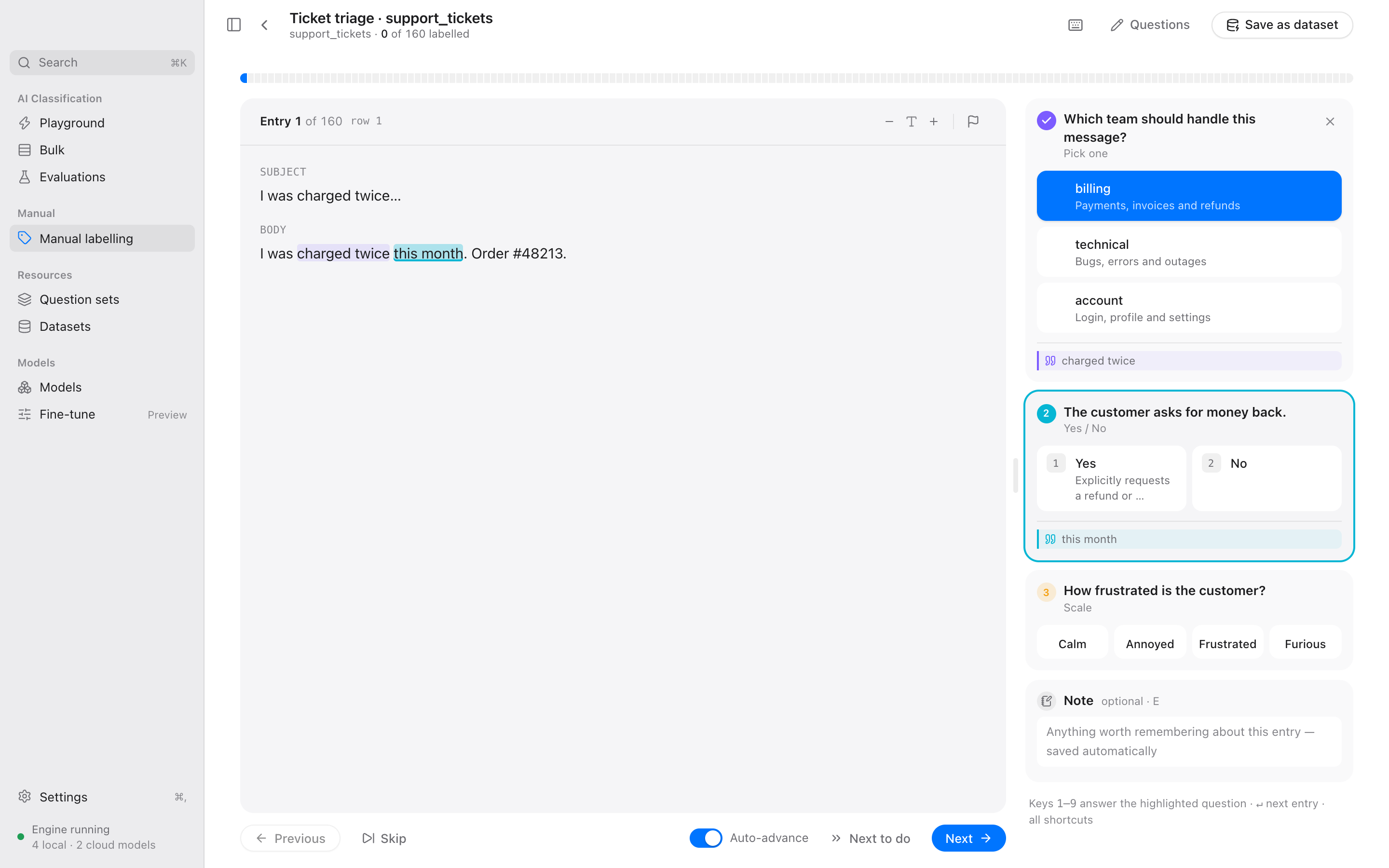
Go through a dataset entry by entry, mostly from the keyboard. Select a passage, or hold ⌥ and move by sentence, and press ↵ to keep it as the evidence for an answer. Each question has its own colour, so you can see which passage supports which answer.

Your labels become a dataset you can evaluate models against.

Manual labelling with highlighted passages for two questions

Fine-tune a model on your own labels

Turn your labels into a model of your own, trained on your Mac's GPU. Set it up like an evaluation, pick a base model, and ClassifAI holds back rows for the test, measures the models you compare against, trains, calibrates, and puts the fine-tune next to them in one leaderboard.

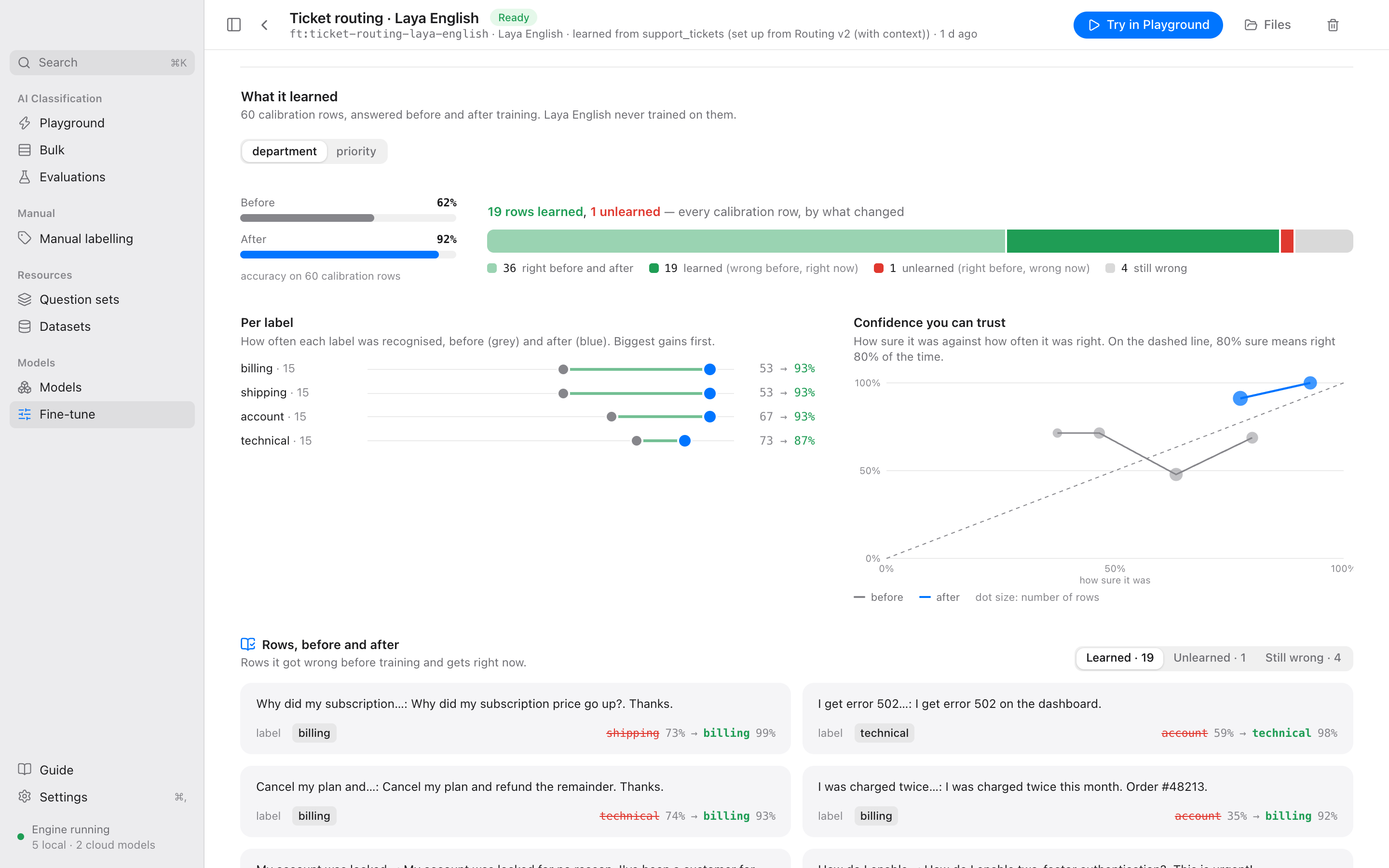
You see each step explained while it runs, and afterwards what it learned: per label, how far to trust its confidence, and the rows it now gets right. The result works everywhere in the app like any other model, and stays on your Mac.

A fine-tune's results: accuracy before and after, gains per label, a calibration chart and example rows it learned

Use the providers you already have

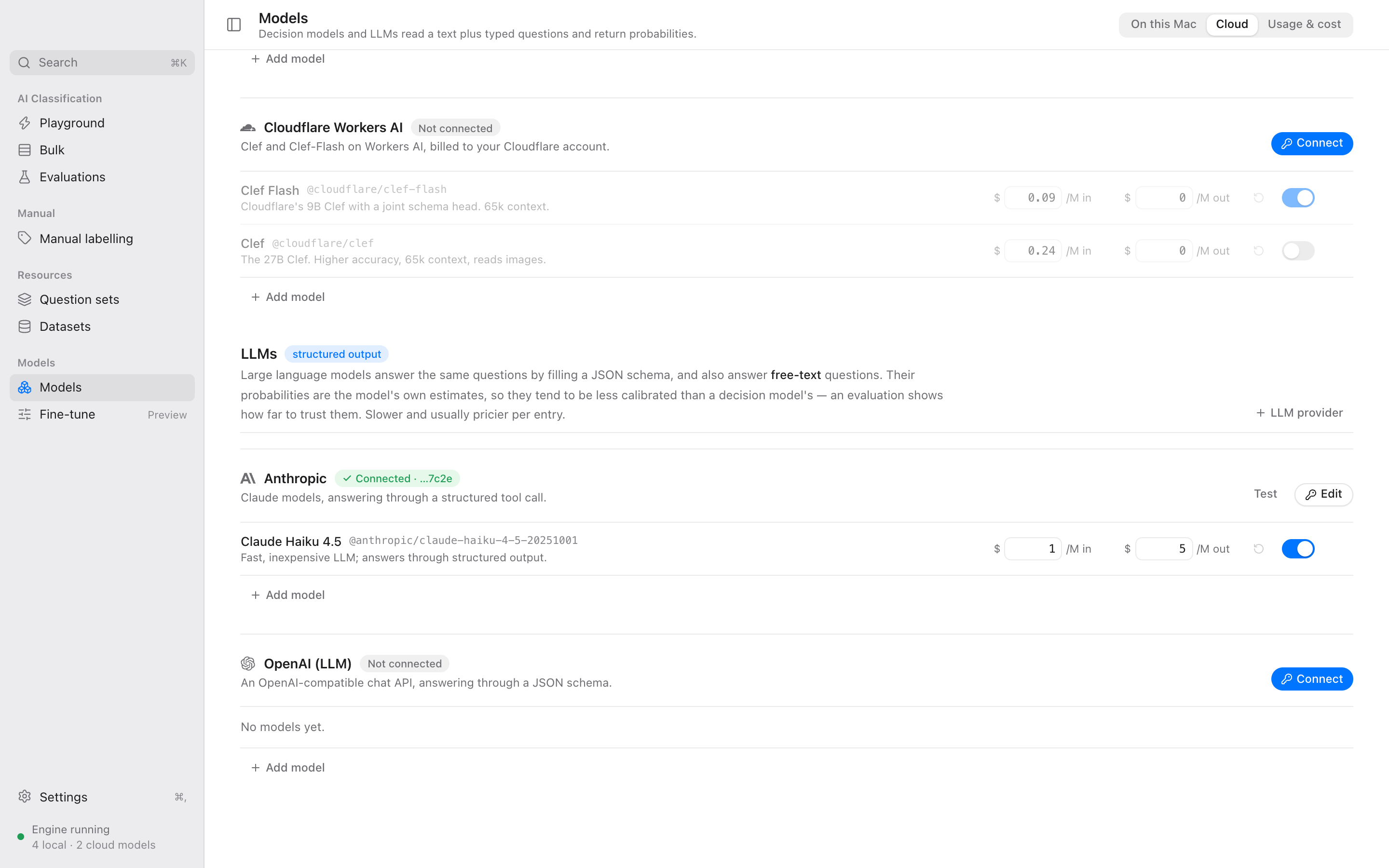
Connect hosted decision APIs and LLM providers next to your local models. Search a provider's model list to add a model, and its published prices are filled in. You see what each model costs per entry and can set a monthly budget. API keys stay in the macOS Keychain.

Cloud providers, with decision APIs and LLM providers

Also in the app

The parts you need around the models.

Seven question types

Pick one, pick any, yes/no, scale, rank, number and free text, each with its own context and option descriptions.

Follow-up questions

Ask a question only for certain answers, such as "if No, ask why". Models answer it in a second pass with the earlier answer added.

Why this answer?

For a decision model, parts of the input are left out one at a time to see what moved the answer. For an LLM, the quoted passage is found in the input.

Bulk runs

Answer the same questions for many entries with one model, then save the answers as a dataset or CSV.

Import from anywhere

CSV, JSON, Excel, the Hugging Face Hub, and folders of Word files, PDFs and images.

Reports and a CLI

Export an evaluation as Markdown or HTML. The classifai command line works on the same data as the app.

Answers against the truth

Open a row from an evaluation or a fine-tune in the Playground: its questions and ground truth come along, and each answer is marked right or wrong.

A guide in the app

What decision models, evaluations and fine-tuning are and how to read the numbers, from the data split to LoRA and calibration, with a glossary.

Get it

Download the latest build for Apple Silicon Macs from the releases page.

The app is not notarised by Apple yet. The first time you open it, macOS will refuse. Right-click the app and choose Open, or on macOS 15 and later allow it under System Settings → Privacy & Security → Open Anyway. You can also run xattr -dr com.apple.quarantine "/Applications/ClassifAI Studio.app" in Terminal.

To build it yourself you need macOS, Rust, Node 20 or later and pnpm.

git clone https://github.com/jonasweinert/classifai-studio.git
cd classifai-studio
pnpm install
pnpm tauri build

On first launch the app offers to install the Ollaya engine into its own folder and to download a small local model. You can skip that and use only cloud models or LLMs.